

The short version: a web proxy site is best when you need quick browser access to a public webpage and you cannot or do not want to install software. It is not a replacement for a full VPN, a private browser, or good account hygiene. Used well, it is a practical tool. Used carelessly, it can give you a false sense of privacy.
That distinction matters. Most articles about web proxies make them sound either magical or dangerous. The real answer is more ordinary: a proxy site is a browser tool with a clear job. It fetches a page through a server, rewrites enough of the page so your browser can keep using it, and gives you a way to open blocked or region-limited pages without changing your whole device.
This guide is written from the way people actually use tools like WebProxySite: checking a public page on a restricted network, opening a documentation site that is blocked by mistake, previewing content while traveling, or using a browser-only option on a device where installing apps is not allowed.
The plain answer
Use a web proxy site when you need:
- A no-download way to open a public website
- Browser-only access, not whole-device protection
- A quick test from another network path
- A simple way to keep the target site from seeing your direct IP address
Do not use a web proxy site when you need:
- Protection for every app on your device
- Strong anonymity against a serious adversary
- A safe place to type banking, medical, or highly sensitive credentials
- Guaranteed support for every video player, login flow, or real-time app
That is the most useful way to think about it: fast browser access with limits, not full-device privacy.
What a web proxy site actually does
When you enter a URL into a web proxy site, your browser connects to the proxy first. The proxy requests the target page, receives the response, adjusts links and resources where needed, then sends the result back to your browser.
In a normal visit, your browser talks directly to the target website. With a proxy site, the conversation has one more stop:
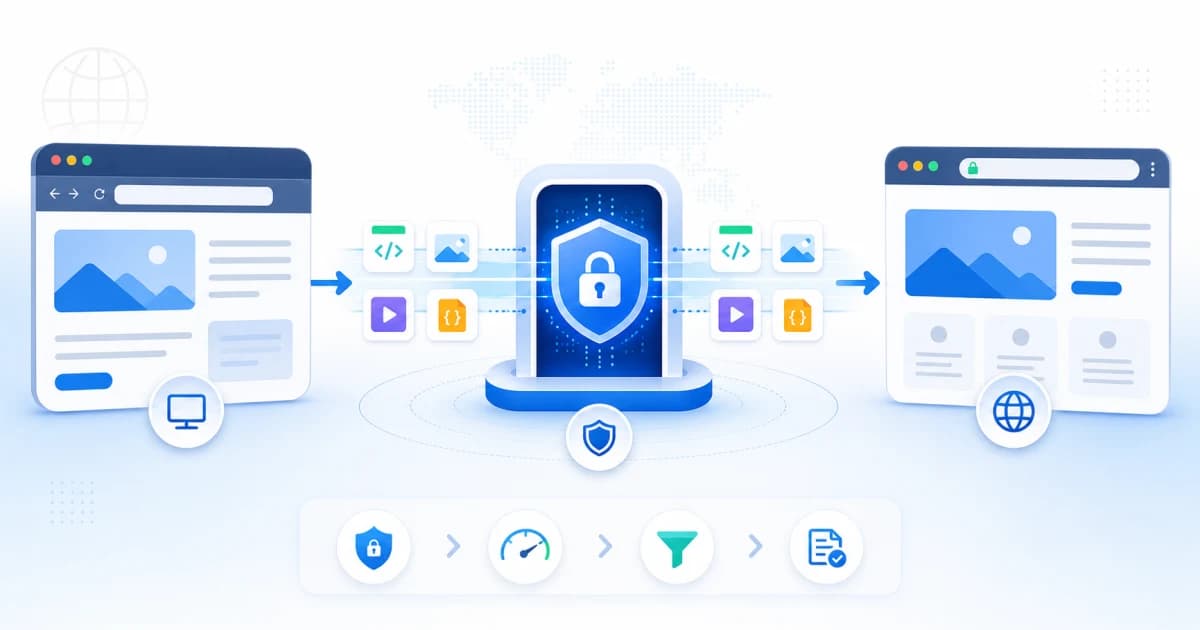
That extra stop is why a proxy can help with access. Your local network sees a connection to the proxy site instead of a direct connection to every destination you open through it. The destination website sees the proxy server rather than your direct network address.
It is also why some pages break. Modern websites are not just HTML documents. They load scripts, images, video chunks, API responses, fonts, analytics calls, login redirects, and sometimes WebSocket or WebRTC traffic. A good web proxy site can handle many of those requests. No web proxy can honestly promise that every modern website will behave exactly like it does in a direct browser session.
The everyday use cases that work best
The best proxy sessions are simple, public, and browser-contained.
Opening public information pages
Documentation, news articles, school resources, product pages, public forums, and help centers usually work well. These pages mostly need HTML, CSS, images, and ordinary JavaScript. If a network filter blocks the domain broadly, a web proxy can often load the content through its own browser path.
This is the use case I trust most: reading a page, copying a reference, checking a public source, or opening a site that is blocked by a blunt network rule.
Previewing how a site loads from another path
Sometimes you only need to know whether a page is down for everyone or blocked on your current network. A web proxy site is useful as a quick second opinion. If the page opens through the proxy but not directly, the issue may be your network, DNS resolver, firewall, or region.
It is not a full monitoring setup, but it is faster than installing a VPN just to answer one question.
Browser-only access on managed devices
On school, library, office, or shared computers, you often cannot install browser extensions or VPN apps. A web proxy site works inside the browser, so the setup burden is lower.
That does not mean you should ignore local rules. It means the tool fits cases where you have a legitimate reason to view a page and need a no-install method. Think research material, blocked documentation, public service pages, travel information, or content that was caught by an overly broad category filter.
Casual IP separation
If you open a public webpage through a proxy, the target site generally sees the proxy server's IP address rather than your direct one. This can be useful when you do not want a public site to tie a casual visit to your home, school, or workplace network.
It does not make you anonymous if you log in, accept tracking cookies, reuse a unique browser profile, or reveal yourself in the page.
Where web proxy sites tend to break
Most problems are not random. They usually come from one of these patterns.
Login-heavy websites
Sites that depend on multi-step authentication, strict cookies, device checks, or unusual redirect flows may fail through a proxy. The login screen might load, but the next step may loop, time out, or reject the session.
My rule: if the account matters, do not use a web proxy for the login. Open public pages through the proxy if needed, then use a direct trusted connection for sensitive accounts.
Video and media players
Some media players work. Some do not. The difference often comes down to how the site serves video chunks, whether it uses DRM, how it checks origin headers, and whether the player expects direct access to several supporting domains.
If a video page loads but playback fails, the proxy is not necessarily "slow." The player may be making a request type that the proxy cannot safely or reliably rewrite.
Apps that depend on real-time connections
Chat apps, dashboards, collaborative editors, game sites, and trading interfaces often use WebSockets or other live connection patterns. A browser-based proxy can support some real-time traffic, but it is a harder class of website than a static article.
For anything time-sensitive or financially important, use the direct site or a trusted full-device network tool instead.
Sites with aggressive bot checks
CAPTCHAs, device reputation systems, and anti-abuse checks may challenge proxy traffic more often. That is not always the proxy's fault. Many sites treat shared server traffic as higher risk because many users can appear from the same infrastructure.
If a site shows repeated verification loops through a proxy, do not keep forcing it. Use a different access method or return later.
A simple workflow that avoids most mistakes
I use this sequence whenever I want a proxy session to stay boring and predictable:
- Start with the exact public URL you need, not a broad search query.
- Avoid logging into personal accounts unless the site is low-risk and you understand the trade-off.
- Check whether the page is mostly reading, viewing, or downloading. Reading is safer than interacting.
- If something breaks, test a simpler page on the same domain before assuming the whole service fails.
- Close the proxy tab when finished, especially on shared computers.
That sounds basic, but it prevents most bad proxy experiences. People often treat a web proxy like a second browser. It is better to treat it like a temporary viewing session.
What privacy you get, and what you do not
A web proxy site can hide the final destination from your local network in many ordinary cases. Your school, workplace, ISP, or public Wi-Fi operator may see that you connected to WebProxySite, but not every target URL you open inside the proxy session.
The target website generally sees the proxy server's network address, not your direct IP.
But there are important limits:
- If you log into an account, the site can identify the account.
- If your browser sends unique cookies or fingerprintable details, the site may still recognize the browser.
- The proxy service is now part of the trust chain.
- Other apps on your device are not protected.
- Downloads and forms still require judgment.
The honest privacy model is this: a web proxy can separate your browser request path from the target site, but it cannot erase everything that makes you identifiable.
Troubleshooting before you blame the proxy
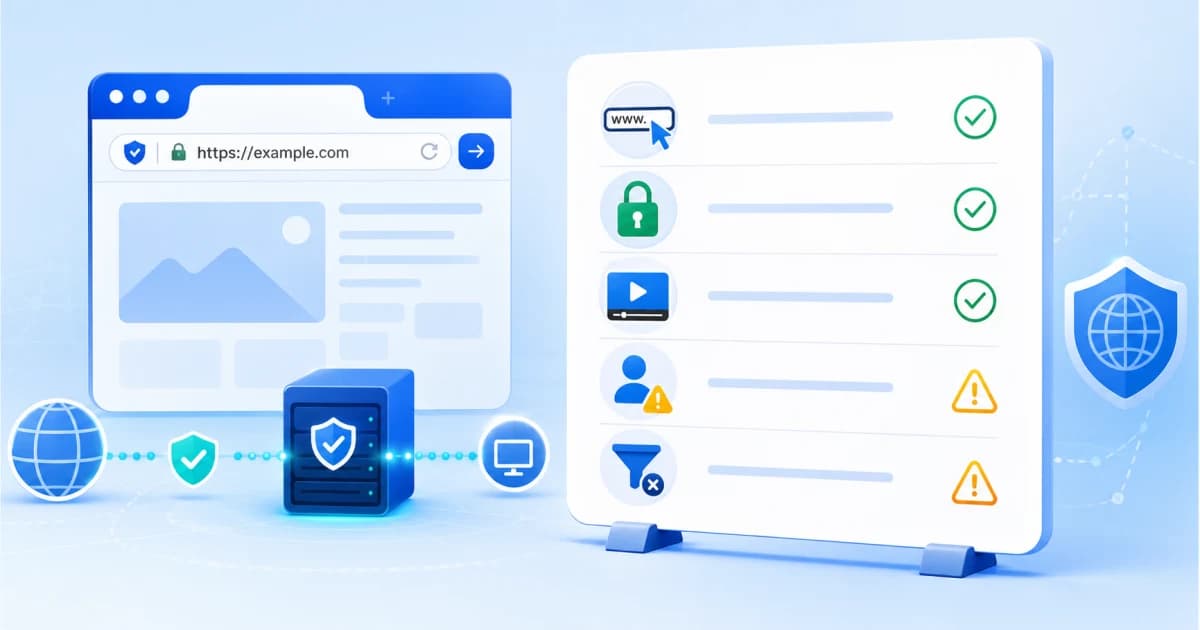
When a page does not work, run through a quick checklist. It saves time and gives you a better sense of whether the problem is the proxy, the website, or the network.
Check the URL format
Use the full URL when possible, including https://. If you type only a domain and the site depends on a specific path, redirect, or language version, you may get a different page than expected.
Try a public page first
Before testing a login page or complex app, open the site's homepage or a public article. If the public page works, the proxy path is probably alive. The failure may be tied to authentication or a specific resource type.
Watch for mixed content and blocked assets
Some older sites still load insecure resources or assets from multiple domains. A proxy may block, rewrite, or fail those requests depending on how they are served. Missing images or broken styling can be a sign of asset loading problems rather than a total page failure.
Do not fight account security
If a website keeps asking you to verify, re-login, or approve a new device, stop and consider whether a proxy is the right tool. Those checks may be protecting your account.
Compare direct access
If you can, open the same page directly on a trusted network. If it fails directly too, the website itself may be down or broken.
Proxy site vs VPN for everyday browsing
The right choice depends on scope.
| Need | Better fit | Why |
|---|---|---|
| Open one blocked public page | Web proxy site | Fast, browser-only, no installation |
| Protect every app on your laptop | VPN | Routes all device traffic |
| Use a shared or locked-down computer | Web proxy site | Works inside the browser |
| Stream from a strict media platform | Depends | Some proxy sessions break; VPN may also be blocked |
| Log into sensitive accounts | Direct trusted connection | Reduces third-party handling and verification issues |
| Hide destination from local network logs | Web proxy site or VPN | Proxy covers browser session; VPN covers the device |
If the task is one browser tab, a web proxy site is often enough. If the task involves your whole device, use a VPN or another device-level solution.
How to use WebProxySite well
For a normal WebProxySite session:
- Open WebProxySite.
- Paste the full URL of the public page you want to view.
- Let the page load before clicking deeper links.
- Keep the session focused on that task.
- Avoid entering sensitive personal details.
- Close the tab when finished.
That is the pattern I recommend to most users. It keeps the proxy useful without pretending it is a privacy cure-all.
Practical examples
A blocked documentation page
You are on a network where a developer documentation site is blocked by category filtering. You need one page to finish a setup task. A web proxy is a reasonable option because the page is public, text-heavy, and does not require a personal account.
A social media feed
You want to view a public post. The public page may work. Logging into the account through the proxy is a different decision. The moment you log in, the platform can identify you by account, and the session may trigger extra verification.
A video page
A public video page might load, but playback can fail if the player uses strict media delivery rules. Try a lower-complexity page first. If video playback is the whole point and it keeps failing, a web proxy may not be the right tool for that site.
A banking or health portal
Do not use a web proxy for this. The content is sensitive, the login flow matters, and account security checks are there for a reason. Use a direct trusted connection.
FAQ
Is a web proxy site the same as a VPN?
No. A web proxy site usually covers the browser session you run through it. A VPN usually routes traffic from the whole device. That difference is the reason a proxy is faster to use and also the reason it has narrower protection.
Can my network see that I am using a web proxy?
In most cases, yes. Your network can usually see that you connected to the proxy domain. It may not see every final website opened inside the proxy session when the connection is encrypted, but proxy use itself is not invisible.
Can the target website still know who I am?
Yes, especially if you log in. A proxy can change the network path, but it cannot make your account, cookies, browser fingerprint, or behavior disappear.
Why does one website work and another fail?
Different sites use different mixes of JavaScript, API calls, cookies, media delivery, and bot checks. A public article may work perfectly while a real-time dashboard or protected video player fails.
Should I use a web proxy site for downloads?
Be cautious. Downloading files through any intermediate service adds risk. Only download files from sources you already trust, and avoid executable files from unfamiliar sites.
What is the safest way to use WebProxySite?
Use it for public pages, keep sessions short, avoid sensitive logins, and close the tab when you are done. If a task requires account security or whole-device privacy, choose a different tool.
Bottom line
A web proxy site is useful because it is simple. It gives you browser-based access without installation, which is exactly what many everyday situations need.
The trick is not to overstate it. Use WebProxySite for public browsing, quick access checks, and no-download sessions. Treat sensitive accounts, real-time apps, and high-risk privacy needs as a different category. That is how a web proxy stays practical instead of becoming another source of confusion.